
Checking for a Warrant in Copperas Cove
Start with Copperas Cove Municipal Court for a city citation and use the citation or cause number if it is on the notice. The court's online search can find indexed cases, but a clerk must clarify whether a displayed balance, setting, or warrant status is current. If the question concerns a county charge, identify the named county court instead of relying on the city portal.
- Open the city's official municipal-court search and choose the search type matching the citation or name information.
- Compare the listed party, case number, and court before treating a result as yours.
- Call Municipal Court at 254-547-5030 if the result is missing, unclear, or tied to a payment decision.
- For county process, contact the Coryell County Sheriff or the clerk of the court named on the paperwork.
- Ask an attorney about resolving a confirmed warrant; a statewide license-hold system is not a warrant lookup.
Copperas Cove Warrant Portal Offers Six Search Modes
The municipal portal has six search modes. Match the selected field to the citation or case details; a number entered in a name field may return nothing. The portal covers Copperas Cove court data, not countywide warrants.
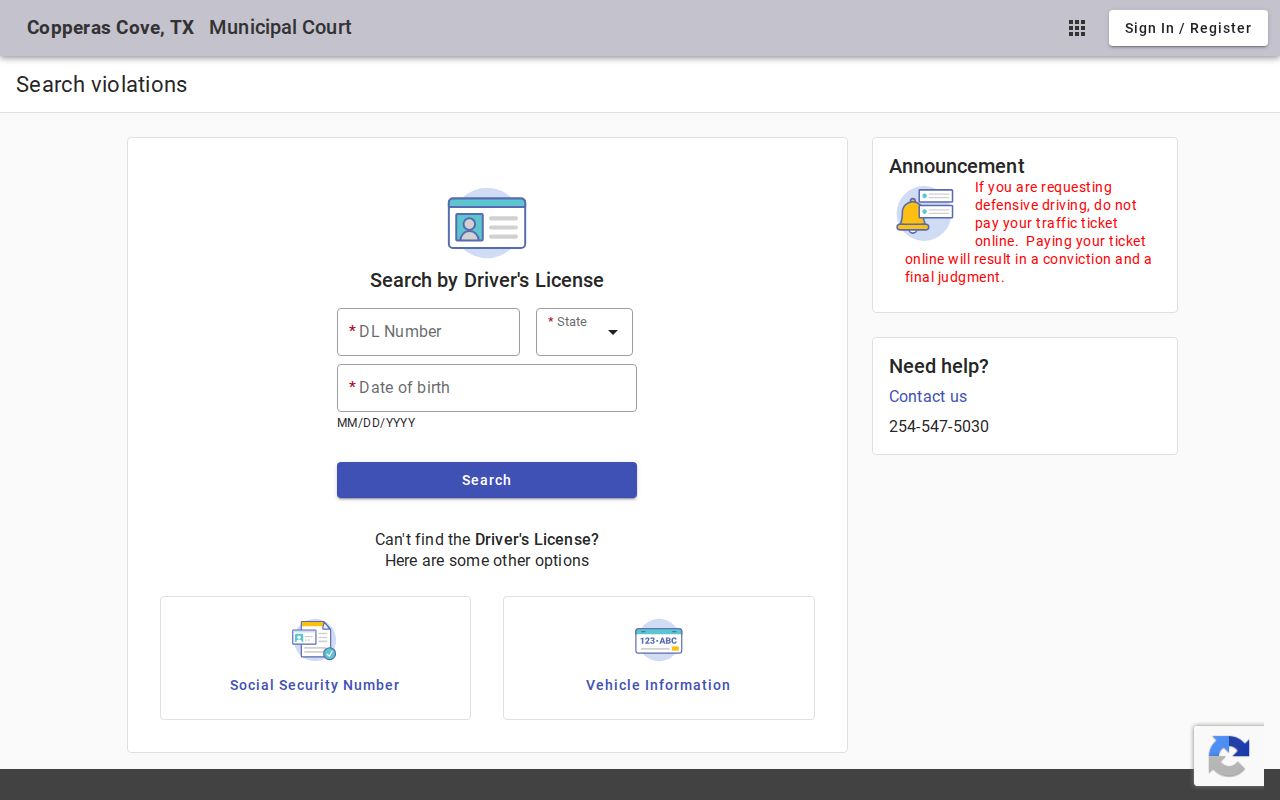
Use the official Copperas Cove search page to see its current fields. If no case appears, call the court rather than concluding that no warrant exists.
Copperas Cove Police and Municipal Court
Municipal Court at 602 S. Main Street handles city citations; call 254-547-5030. Police records are separate at 302 E. Avenue E, 254-547-8222. Police can route incident or service questions; the court clerk controls the citation docket.
The Sheriff's annex at 210 S. First Street handles a different channel. It cannot replace the city clerk, who confirms Copperas Cove case status and required court action.
Copperas Cove Warrant Records Have a Separate Police Desk
Police records requests concern incident reports; the court portal covers citations and payments. Use the police department's instructions for a report and the clerk for a citation or setting.
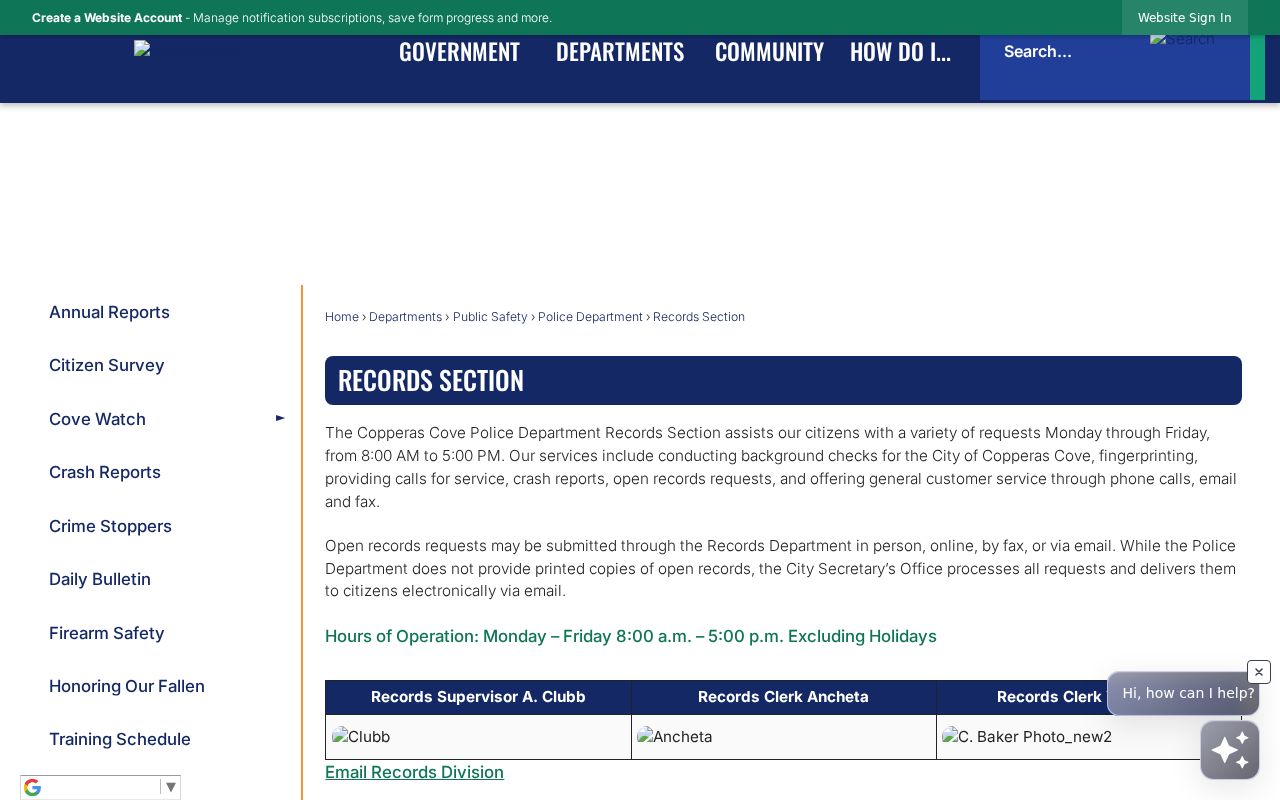
The police records page documents the separate request channel. Check the city site for current availability before making an in-person visit.
Copperas Cove Warrant Types
A city citation can lead to a warrant-related court action when a required response or appearance is missed. The underlying traffic or ordinance citation remains the starting case; it is not itself proof that a warrant issued. More serious criminal process can belong to a county or district court and should be checked through that case's own clerk.
| Warrant Type | How It Arises | Who Issues It |
|---|---|---|
| Traffic citation warrant | Missed response or court date on a city traffic case | Copperas Cove Municipal Court |
| Ordinance case process | Unresolved city ordinance citation and required court action | Copperas Cove Municipal Court |
| Failure-to-appear process | Missed setting in an open municipal case | Municipal judge or court |
| Arrest warrant | Separate criminal charge and probable-cause process | Issuing magistrate or court |
Copperas Cove Warrant Payments Can Enter a Final Judgment
The portal warns that online payment creates a conviction and final judgment. Payment is a case action, not a fee for viewing a record.
Before paying, compare the citation and portal entry, then ask the clerk about contesting the charge, requesting a setting, or confirming warrant status. Save the receipt and check that the docket reflects the action.
Inside a Copperas Cove Warrant Record
The portal shows case-search and payment information, but the reviewed sources establish no uniform warrant-record layout. Match court, case number, and charge. Ask whether an amount due is a citation balance or bond and whether warrant status is separately recorded.
| Case or citation number | Match it to the city notice; the number narrows a clerk inquiry more reliably than a name alone. |
|---|---|
| Party name | Check spelling and identity before associating a portal result with a person. |
| Charge | Read the traffic or ordinance allegation separately from any later failure-to-appear action. |
| Issuing court | Confirm Copperas Cove Municipal Court; county and district files use separate dockets. |
| Balance or bond | Ask the clerk what the amount represents and what legal effect payment would have. |
| Warrant status | Request direct confirmation of active, recalled, or served status; a blank portal field is not confirmation. |
City Citation Records Stop at the Municipal Docket
A city case may not appear in JP, county, or district searches, and a county result does not settle a city citation. Use the court on the original notice, especially if several cases share a name.
The municipal court and police hold city records; the sheriff addresses service or custody information. County and district clerks identify their filed criminal causes.
How Copperas Cove Warrants Fit the County System
A city citation begins with Copperas Cove Municipal Court and city records; county-issued warrants are separate and can be served by the Coryell County Sheriff. Texas DPS and OmniBase address qualifying failure-to-appear or failure-to-pay compliance holds, not a universal warrant registry.
Warrant flow: Copperas Cove Municipal Court › city police service channel › Coryell County Sheriff for county service › DPS / OmniBase for eligible citation holds
For county court routes, start at Coryell County warrant records or the county warrant lookup. A DPS license hold and a city-court warrant are separate questions and should be confirmed with their respective offices.
Copperas Cove Lobby and Phone Hours Differ
The police lobby is listed as open 8 a.m. to noon and 1 to 4 p.m.; phone, email, and fax continue until 5 p.m. The different windows may favor remote contact near closing time.
Verify hours before traveling. Police cannot change a court setting, and the clerk does not hold police incident reports. Confirm which office has the record.
Copperas Cove Warrant Records and Public Access
Public-record rules allow access to many government records, subject to exceptions and court-specific procedures. A request for a police report goes to the department that holds it; a case-file or warrant question goes to the municipal court. Juvenile, sealed, or otherwise restricted information may not be released in a public search. Ask the clerk which record can be inspected and how to request it.
Key Rules:
Texas Public Information Act - Chapter 552 provides a process for requesting public information held by governmental bodies, subject to legal exceptions.
Texas Code of Criminal Procedure, Chapter 45A - municipal court procedures are governed by state law, with the court's record and setting instructions controlling the case.
Texas Family Code, Chapter 58 - juvenile justice information has confidentiality protections and is not treated as an unrestricted public docket.
Check a License Hold Separately From a City Warrant
OmniBase and Texas DPS address qualifying failure-to-appear or failure-to-pay citation issues that may affect driver-license status. They are not a full municipal or county warrant registry. A clear result there does not answer whether Copperas Cove Municipal Court has a warrant, and a license hold does not explain every court obligation.
Ask the city clerk about the citation and its court status, then use DPS or OmniBase for the specific compliance question. Keep the court confirmation and any proof of payment or appearance until the status has updated.